Microsoft Fabric Governance, Part 2: Building Trust with Item Endorsement
When several items appear to answer the same question, users need to know which ones the organisation recommends. Part 2 explains Fabric's three endorsement badges and how to make certification meaningful.
Key takeaways
- Promoted, Certified and Master data are three distinct signals, not a progression.
- A badge is only as meaningful as the review behind it: define your certification checks and keep evidence.
- Endorsement signals trust; it does not grant access.
Finding content in OneLake catalog is a starting point. When several items appear to answer the same question, users also need to know which ones the organisation recommends.
Fabric endorsement provides visible trust signals. The badge helps users recognise content; the review process behind it makes that signal meaningful.
Understand the three badges
| Badge | What it communicates | Who can apply it |
|---|---|---|
| Promoted | The item is considered suitable for sharing and reuse | Someone with write permission |
| Certified | The item meets the organisation’s quality standards | An authorised reviewer with write permission |
| Master data | The item contains core organisational data regarded as an authoritative source | An authorised reviewer with write permission |
Certification and Master data designation require administrator enablement. Promotion and certification support Fabric and Power BI items except Power BI dashboards; Master data applies only to data-containing items.
These are distinct signals, not a mandatory progression. An item does not have to be promoted before certification, and Master data is not a higher certification tier.
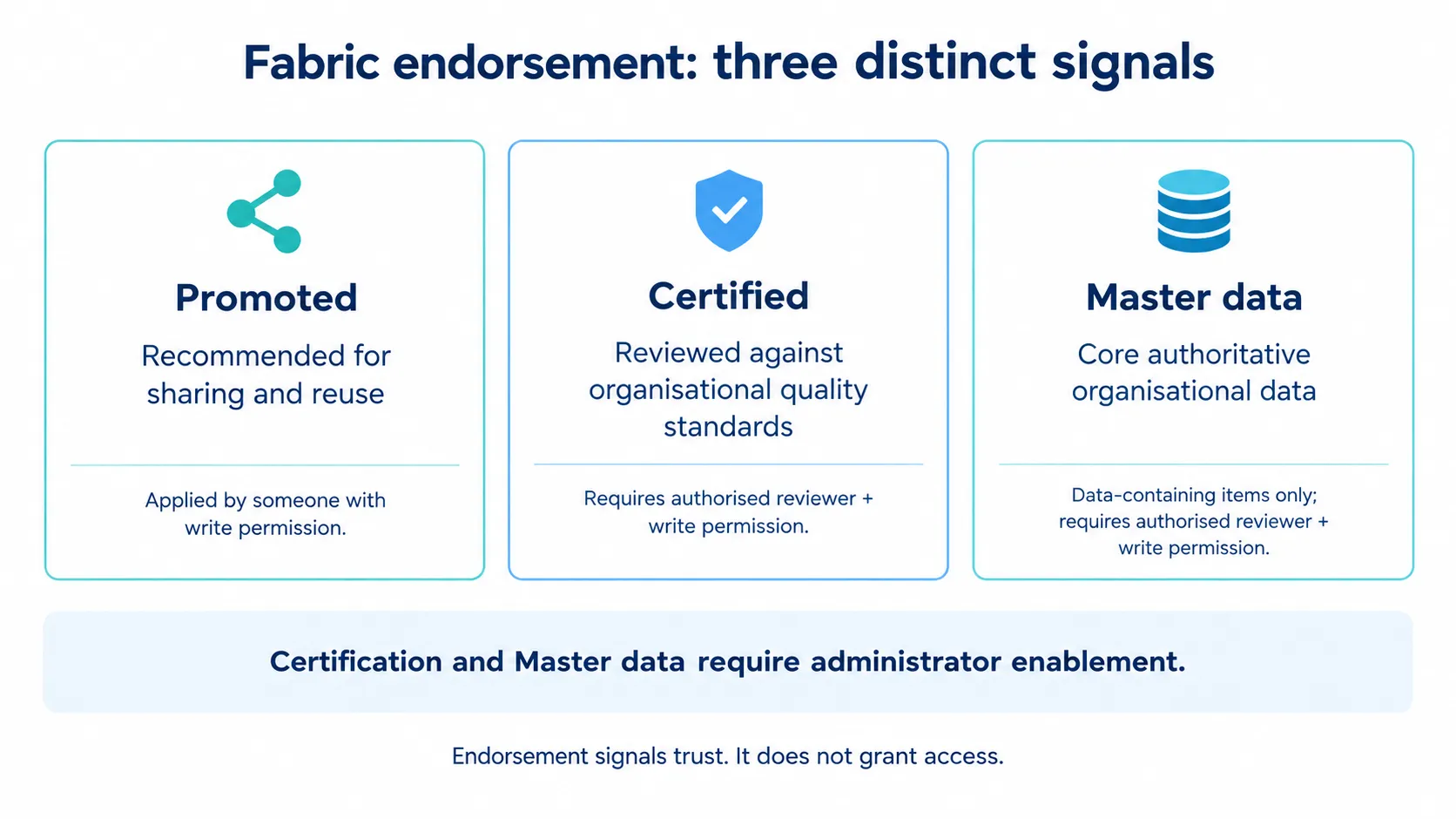
Figure 1. Fabric endorsement: three distinct signals and their requirements.
Apply endorsement to the finance scenario
In Part 1, we introduced the Finance_Performance semantic model. Suppose it now contains agreed measures for revenue, expenditure and operating margin.
The development team promotes it to indicate that it is ready for wider reuse. Before certification, an authorised reviewer checks:
- Reconciliation to an agreed finance reference.
- Approved measure definitions.
- Appropriate access controls.
- Reliable refresh and documented failure handling.
- Named ownership and support arrangements.
These are suggested organisational checks — not a universal Microsoft certification checklist. Each organisation must establish the standards behind its certification process.
A separate item containing the approved chart of accounts could qualify for Master data designation. That does not automatically make every related report or finance item master data.
A practical walkthrough
To promote an item, you need write permission. To certify it or apply Master data designation, you also need the relevant reviewer authorisation.
- Open the item’s Settings.
- Locate Endorsement.
- Select the appropriate designation once its requirements have been met.
- Select Apply.
- Check that the endorsement is visible when locating the item.
If you are not authorised to certify an item, the Certified and Master data options appear greyed out, with links such as “How do I get content certified?”. These lead to guidance your administrator provides; if none has been published, contact your Fabric administrator. The link is not an automated approval request.
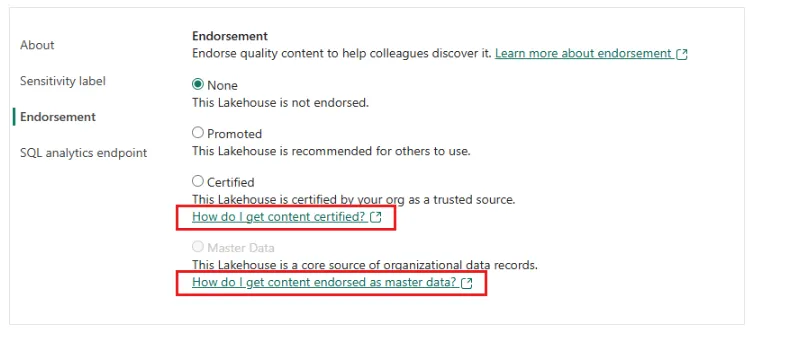
Figure 2. Endorsement settings, with links to organisational guidance for certification and Master data designation. Image: Microsoft Learn.
Make certification maintainable
The badge is useful only while the decision behind it remains valid.
Keep a lightweight review record containing the item, reviewer, review date, supporting evidence and next review date. Agree which changes require reassessment rather than treating certification as a one-off exercise.
For example, changing how Finance_Performance handles refunds in net revenue should trigger renewed reconciliation and review of the measure definition. A cosmetic report change would normally require a different level of scrutiny.
These review arrangements are organisational practices; do not assume the endorsement feature maintains that evidence or schedules reassessment for you.
Avoid two common mistakes
First, do not certify content merely because it is in production. Deployment confirms where an item runs — not whether its calculations are accurate or suitable for a business purpose.
Second, do not confuse endorsement with authorisation. A badge does not grant access; users still need the appropriate permissions.
The practical test is simple: can someone explain why the item carries its badge, who approved it and what evidence supports that decision?
Documentation reviewed on 20 October 2026. Confirm current item support, tenant settings and permissions before implementation.